
The people in Winter Vale have names of their own, such as Aren, Lia, Timo and Mara. You can change them in the Settings window, on a Mac and on Windows.
Give them your names
-
Click the ChillDesk icon in the menu bar (Mac) or the system tray (Windows) and choose Settings….
-
Open Sound and play.
-
In Names, comma separated, type your list, for example
Sam, Priya, Dad, the Intern.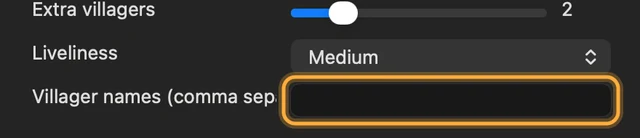
The names box is the last field in Sound and play.
The names are used in village order. Leave an entry empty and that villager keeps the default name. Put your whole team on the screen, or your family, or the characters from your book.
Show or hide names
Show villager names makes a villager’s name appear when you hover over them. Switch it off if you prefer them anonymous.
Add extra villagers
Extra villagers adds people on top of the named cast, from 0 to 12. The default is 2. A busy village is livelier, a small one is lighter on your computer. See Does an animated desktop slow your computer down?.
How busy it feels
Liveliness (Low, Medium or High) sets how often ambient events happen. It is separate from the villager count.
Quiet mode
If you want the people to ignore your mouse, switch off Villagers and animals react to the mouse in the same section. Otherwise you can pick them up and throw them.
Everything else you can change is in the settings tour.